---
title: "Original Prusa MMU3 now shipping: multi-material printing with improvements all around, plus a new FW for MMU2S! - Original Prusa 3D Printers"
description: "We’re ready to send the first Original Prusa MMU3 units for the MK3S+ right now and the Original Prusa MK4 version will follow in a couple of weeks – keep…"
url: "https://blog.prusa3d.com/original-prusa-mmu3-is-here-multi-material-printing-with-improvements-all-around-now-shipping_80485/"
lang: "en"
---
# Original Prusa MMU3 now shipping: multi‑material printing with improvements all around, plus a new FW for MMU2S!
[Josef Průša](https://blog.prusa3d.com/author/josef-prusa/) July 27, 2023 · 13 min read
[Announcements](https://blog.prusa3d.com/category/highlights_10/) [Featured](https://blog.prusa3d.com/category/featured_8/)
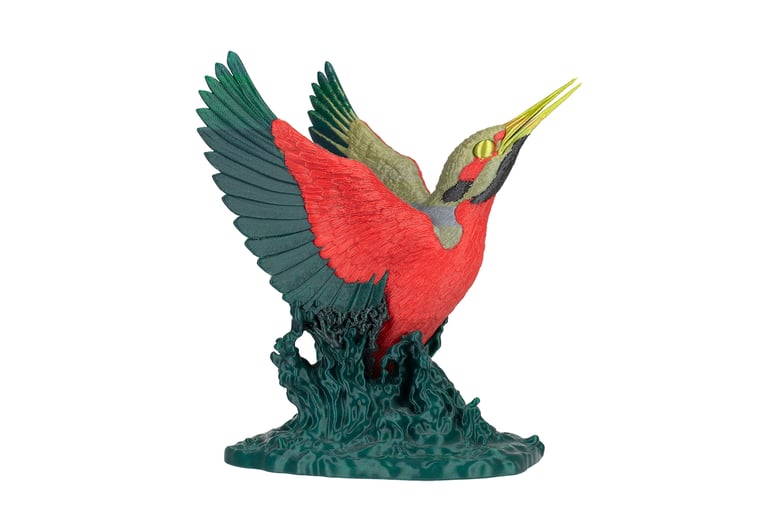
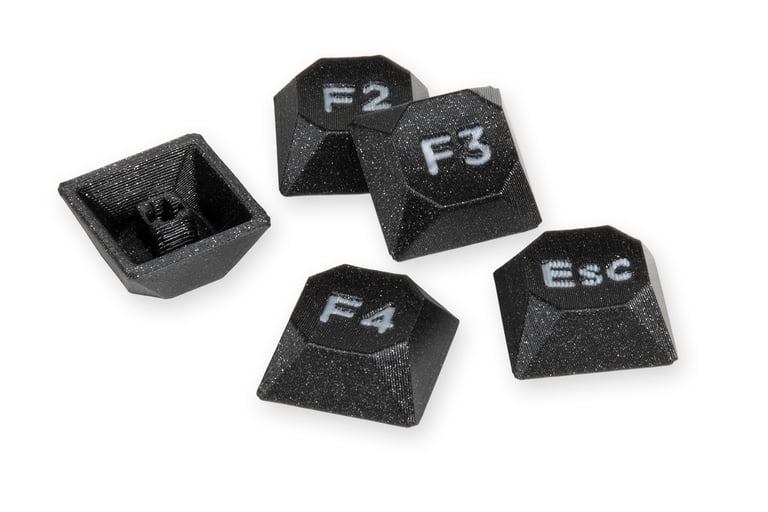
We’re ready to send the first **[Original Prusa MMU3](https://www.prusa3d.com/category/original-prusa-mmu3/) units for the MK3S+** right now and the [Original Prusa MK4](https://www.prusa3d.com/product/original-prusa-mmu3-for-mk4s-mk3-9s-full-kit/) version will follow in a couple of weeks – keep on reading for more details. In case you are not familiar with the previous versions, here’s a quick recap: The Original Prusa MMU3 is our **solution for printing with up to five filaments** at the same time. It’s an expansion module for the Original Prusa i3 MK3S+ and Original Prusa MK4 that has five filament slots and a moving selector for automatic switching between loaded materials. When you slice a colored model in PrusaSlicer, the color changes are then automatically performed by the Original Prusa MMU3 – you don’t have to rely on by-layer color changes like with normal 3D printers and you can **bring truly colorful objects to life.**
The [Original Prusa MMU3](https://www.prusa3d.com/category/original-prusa-mmu3/) is the third iteration of this expansion module and it comes with **dozens of major changes,** even though the unit may seem similar to the Original Prusa MMU2. We have made a ton of changes under the hood: the **firmware has been rewritten** from scratch, the plastic parts are completely different, and all moving parts have been reworked, improved and fine-tuned. And our **awesome community played a major role** in this! We took all of the community’s feedback, suggestions and ideas for improvements to take the multi-material unit to the next level. I’ll get into more details a bit later, but I just wanted to put this up front: **thank you, everyone,** who helped us shape the new version. The new unit is more robust, more reliable and much easier to use. Multi-color prints can take many hours to finish and there’s nothing more frustrating than getting stuck mid-print and having to start from scratch.
We decided to stick with a design close to the previous generation and keep the more expensive parts (like the motors), so it’s easy and cheap to upgrade your Original Prusa MMU2 / Original Prusa MMU2S to the new version (the upgrade kit is coming in August).
### How does it work?
The [Original Prusa MMU3](https://www.prusa3d.com/category/original-prusa-mmu3/) is a compact add-on that sits on top of the printer’s frame. It features **five filament feeding tubes** and it is accompanied by a buffer that prevents filaments from tangling up. Prepare up to five filament spools into five holders, lead the strands through the **new easy-to-use cassettes** in the buffer and preload them to the Original Prusa MMU3.
The Original Prusa MMU3 contains a rotating idler barrel that applies pressure onto the selected filament and the drive gear then pushes the filament through the Selector into the printer’s extruder. Once a color change is necessary, the filament is unloaded and the Original Prusa MMU3 switches to another filament slot.
Since only one nozzle is used, it has to be cleaned after every filament change as opposed to the Original Prusa XL where the filaments are loaded into individual extruders. We’re sticking to our proven solution – **a smart compact semi-hollow wipe tower** that is automatically created next to the printed object. The excess filament from the nozzle is **efficiently wiped into one compact location** and you don’t have to worry about bits and pieces of plastic piling next to your printer.
To make things **even less wasteful,** you can take advantage of the PrusaSlicer features we developed for this purpose: **wipe to object and wipe to infill.** These are pretty self-explanatory, so just in short: wipe to object allows you to purge the excess filament into a selected object where you don’t care about its color – this is ideal for functional parts or objects that you’re planning to paint. Wipe to infill is even easier: most of the filament during a filament change will be **purged into the object’s infill** which is not visible in the finished object and only a small amount will go into the wipe tower, saving a lot of material. Below is an example of wipe to infill and the hollow wipe tower.
### Plenty of quality-of-life improvements
The majority of users had no major issues with the Original Prusa MMU2S and printed all day long with minimal hassle. However, we have also received feedback that the Original Prusa MMU2S is **too demanding** when it comes to **proper assembly, setup, maintenance, and general running conditions** like the correct placement of the buffer and spoolholders. In short: When everything was not a hundred percent up to scratch, it wasn’t fun to use.
It was a stark contrast to the Original Prusa i3 MK3 which can take a lot of beating and even with poor maintenance still runs relatively smoothly although the print quality may suffer. The Original Prusa MMU2S needed to be in top shape to perform as expected. We decided to improve the design to **make it less prone to assembly-related issues** and make the controls easier to understand. There were two major areas to address: **the path of the filament** (make it extremely reliable for the filament to travel from the spool all the way to the nozzle) **and** **the user interface** (make it easy to understand what the Original Prusa MMU3 is doing).
**Your feedback was hugely helpful** and helped us to bring various improvements.
In the end, we **reworked all plastic parts** of the multi-material unit and improved the overall robustness of the unit by adding **new metal parts** (e.g., the rotating idler barrel is now connected to a stepper motor with a metal part). The Selector is also redesigned – the filament sensor (FINDA) is magnet-assisted and performs with much higher reliability (small pieces of debris won’t make it stuck). Plus, there’s a small maintenance window built into the Selector so you can easily check on the sensor without disassembling the unit. Also, the Selector has an improved sixth “service” position for better access. There are **dozens of little tweaks** that, in terms of user experience, put the Original Prusa MMU3 up to par with the Original Prusa i3 MK3S+ and the Original Prusa MK4. For example, we added a maintenance position, so you can easily access the unit. There’s also an improved IR filament calibration system.
I would like to acknowledge that **we had a big help from the community** – there are plenty of mods at Printables.com and other websites that helped us to pinpoint the most important areas by analyzing what the community was focused on. We looked at these mods and took them as a springboard to come up with our own designs. I hope I didn’t forget anything important:
- [MMU2S pulley-body mod](https://www.printables.com/model/33607-mmu2s-pulley-body-mod) by mdj
- [MMU2S Building a Better Base](https://www.printables.com/model/19211-mmu2s-building-a-better-base) by jfromel
- [MMU2S Idler Tension Screw Retainer & Thumbscrew](https://www.printables.com/model/75244-mmu2s-idler-tension-screw-retainer-thumbscrew) by Terence
- [Prusa MMU2 Selector with magnet](https://www.printables.com/model/17580-prusa-mmu2-selector-with-magnet-and-opened-finda-c) by darBis
- [Prusa MMU2 PTFE Holder M10 Passthrough Adapter](https://www.printables.com/model/6605-prusa-mmu2-ptfe-holder-m10-passthrough-adapter) by vertigo235
- [Prusa MK3 MMU2 rear PTFE tube holder](https://www.printables.com/model/57819-prusa-mk3-mmu2-rear-ptfe-tube-holder-with-6mm-thre) by JustMe
- [Improved MK3S MMU2S Filament Sensor Mount](https://www.thingiverse.com/thing:4609788) by 01chevyguy
- [MK3S+ MMU2S Precise Calibration Chimney](https://www.printables.com/model/209869-mk3s-mmu2s-precise-calibration-chimney) by David
and several buffer mods such as:
- [Gravity Spoolholder for MMU2S](https://www.printables.com/model/10370-gravity-spoolholder-for-mmu2s) by Michal Fanta
- [Universal Auto-Rewind Spool Holder](https://www.thingiverse.com/thing:3338467) by VincentGroenhuis
- [MMU Slot Buffer](https://www.printables.com/model/30811-mmu-slot-buffer) – Martin\_J.
- [TZB MMU2S Filament Buffer](https://www.thingiverse.com/make:770596) by mdjurfeldt
- [Prusa MMU2S Slot Buffer Holder](https://www.myminifactory.com/object/3d-print-prusa-mmu2s-slot-buffer-holder-167908) by Canavese Daniel
- [RMU-MK3 Filament Buffer](https://filamentbuffer.co.uk/)
We also **improved production tolerances** to make the unit easier to assemble and opted for **slightly larger PTFE tubes** to reduce the friction of traveling filament.
A massive improvement to the general user experience is the **brand-new firmware.** We essentially threw the old one out of the window and wrote a new one **and made it also compatible with the MMU2S.**
### New firmware, rewritten from the ground up
Here’s a fun fact: the Original Prusa MMU3 actually started as an endeavor to add new features and optimizations in the Original Prusa MMU2S firmware. In an attempt to make the Original Prusa MMU2S as simple as possible, we have, admittedly, overdone it. The result was that the unit had mostly one-way communication with the printer and a majority of its interaction was done through LEDs on top of its body. Instead of being simple to use, it actually might have been slightly cryptic if you didn’t have the handbook at hand.
One thing led to another. What started as a simple task of adding a couple of things to an existing firmware, slowly **transitioned into a brand-new project** that took several months to complete. **Everything was rewritten** using a three-layer system consisting of **HAL** (Hardware Abstraction Layer), **Modules and Application logic.** We’ll dive into the whole story in a separate developer diary, so to avoid excessive details here, let me just summarize it like this: the new firmware allows for full two-way communication with the printer. If the Original Prusa MMU3 unit needs something, a detailed message is displayed on the printer screen, with suggestions on what to do, sensor status, options to repeat the last action and so on.
Troubleshooting is rarely needed thanks to **improved communication between the two mainboards.** The Original Prusa MMU3 “knows” what to do when, i.e., the filament wasn’t loaded into the nozzle correctly, and will attempt to **automatically resolve the situation.** Only if it fails after three attempts, the print is paused and the user is notified. For example, before a “user attention” error is raised, the Original Prusa MMU3 will attempt to reload the filament several times and if it fails, the unit knows where exactly it failed and may perform additional actions – e.g., use a small blade to cut the end of the filament because it is likely that a deformed filament tip is the culprit. Only when the self-repair fails, the user is notified with a proper description of the situation on the screen.
The printer **shows real-time information** from the SuperFINDA (filament sensor in Original Prusa MMU3) and the filament sensor on the screen, so you can immediately tell where there’s a potential problem. Better interaction between the electronic boards prevents even some rare edge cases. Plus the system uses proper registry entries, so **advanced users can play around with G-Codes M707 and M708.** The operation is also a bit more silent compared to its predecessor due to mechanical and firmware changes.
We also added a PD board to the MMU3 that provides a more stable and interference-free power supply directly on the Original Prusa MMU3, avoiding communication-line interference and improving overall reliability.
### New firmware and MMU2S owners
And as I mentioned, **we have awesome news for all MMU2S owners** (there’re over 50.000 of you after all) – we didn’t want to cut you off with the release of the MMU3. So this **new firmware can be flashed onto the MMU2S board,** greatly enhancing its capabilities. Things like easier preloading and controls, self-repair routines, real-time information on the screen and more will be instantly available on your unit. And, of course, more reliable operation and improved troubleshooting.
We know that the MMU2S could have been challenging to properly assemble and set up. Every time you got in touch with our tech support, we did our best to solve the printing issues you might have had. Often it was something simple like changing the position of the buffer, but sometimes things might have become frustrating. Trust me, we took all your comments very seriously and they were one of the main reasons why we started with the new firmware in the first place. We don’t want you to keep your MMU2S on the shelf – on the contrary, we want to reach out to you and help.
So, **if you have contacted our tech support in the past** and you didn’t manage to get the MMU2S unit fully up and running without issues: please try installing the new firmware first. I’m pretty sure it can do a lot to make the MMU2S better. And if the new firmware won’t help, get in touch with our support team to consult your case and troubleshoot the issue. If a solution still cannot be found, we are ready to send you a free voucher for the MMU2S->MMU3 upgrade kit (available in about 4 weeks). We’re keeping this opportunity open till the end of this year.
### PrusaSlicer makes things easier
[PrusaSlicer](https://www.prusaslicer.com/) is our internally-developed slicing software. We have **a team of 11 people** working full-time to invent and implement new features to create the most comprehensive free and open-source 3D printing software package on the market. Honestly, I can’t say enough about how amazing this team is – I guess the fact that many other slicers out there are derivative works of our PrusaSlicer is a real testament to its qualities. We welcome all friendly forks to PrusaSlicer, and enjoy collaborating on these features also. Check out our recent interview with community contributors Thomas Rahm & Daniel Schubert to learn about the development of organic supports.
Since we know that most objects at [Printables.com](https://www.printables.com/) and other libraries are meant for single-color printing, it was essential to give you the right tools to **turn any single-color material into a colorful object.** PrusaSlicer is fully equipped for the job: in the left menu, there is an option that enables **Multimaterial painting.** With three tools (Brush, Smart fill and Bucket fill), you can easily add colors to imported objects. While Brush works as a standard surface brush, Smart fill can detect and paint whole sections of the model depending on the adjustable angle between two surfaces. Bucket fill is here to quickly swap two colors.
### Original Prusa MMU3 versions and shipping information
The Original Prusa MMU3 is available **in several configurations,** so you can pick the right one for you.
Right now, we’re starting to ship the **Original Prusa MMU3 full assembly kit for the Original Prusa i3 MK3S+ 3D printers.** If you don’t have a multi-material unit yet, this is for you. You can also choose whether you want to receive printed plastic parts from us or you can opt for a cheaper option and print the plastic parts yourself (filament spool is in the package).
Check it out on the [store page here](https://www.prusa3d.com/category/original-prusa-mmu3/).
We’ll soon follow with the **[Original Prusa MMU2S->MMU3 upgrade kit](https://www.prusa3d.com/category/original-prusa-mmu3/) for the Original Prusa i3 MK3S+.** If you have the Original Prusa MMU2S and only wish to upgrade to a newer version, this is the one you need. The upgrade will be available in our e-shop in August and the package will contain a spool of filament so you can print the parts yourself (we’ll publish them on Printables).
As for the version for the Original Prusa MK4: we’re still in the process of testing the modified Nextruder plastic parts that enable smooth filament loads and unloads for the Original Prusa MMU3. It’s already available on our e-shop and we’ll start shipping it in late August / early September. The MK4’s extruder is very different compared to the MK3S+ so we need to ensure that everything works smoothly – so far, everything seems good and we’re wrapping up our testing. We’re also aiming to release the final Original Prusa MK4 Input Shaper firmware in the upcoming weeks and the Original Prusa MMU3 will be, of course, compatible with it.
Whew, that’s a lot of different versions. You might have noticed that we’re not specifically mentioning Original Prusa i3 MK2.5, Original Prusa i3 MK2.5S, Original Prusa i3 MK3 and Original Prusa i3 MK3S. Due to production and processing capacity, we have decided not to prepare specific packages for these printers. However, do not worry, we’ll publish an article in our Knowledge base which will describe how to adjust the Original Prusa MMU3 designed for MK3S+ to make it work with your Original Prusa i3 MK2.5 / Original Prusa i3 MK2.5S / Original Prusa i3 MK3 / Original Prusa i3 MK3S printer with some simple steps.
And that’s about it! Once the MK4 version is ready for shipping, we’ll post a short summary on our blog and we’ll also share a proper deep dive into the MMU3’s new firmware. Stay tuned!
Happy (multi-material) printing!
Models:
[Jordan One by Samprintingtiktok](https://cults3d.com/en/3d-model/fashion/jordan-one-samprintingtiktok)
[Pikapool by Madmax](https://www.printables.com/model/260930-pikapool)
[Grogulorian by Hex3D](https://www.patreon.com/Geoffro)
[Garfield by reddadsteve](https://www.printables.com/model/371086-garfield)
[Hogwarts House Crests by Markus](https://www.printables.com/en/model/499988-hogwarts-house-crests-gryffindor-slytherin-hufflep)
[Cherry MX Keycaps by Riskable](https://www.printables.com/model/399607-complete-cherry-mx-stem-keycap-set-optimized-for-3)
[Little Joe Goes to the Moon by Dominik Císař](https://www.printables.com/model/222226-little-joe-goes-to-the-moon-astronaut)
[Kingfisher by Sidnaique](https://cults3d.com/en/3d-model/art/kingfisher-mmu-three-versions)
## Related articles
### [Prusa Black Friday 2026 Is Here! Grab the Biggest Deals of the Year](https://blog.prusa3d.com/prusa-black-friday-2026-is-here-grab-the-biggest-deals-of-the-year_138966/)
**Prusa Research** October 22, 2026
### [400°C HT Hotend is out! Plus: New Materials and HighTemp Sheets for CORE One+/L+.](https://blog.prusa3d.com/ht-hotend-is-out-plus-we-offer-new-materials-and-hightemp-sheets-for-core-one-l_138625/)
**Jakub Kočí** October 21, 2026
### [Prusament Pellets: Raw material batches for large-format 3D printing or small-scale polymer research & development](https://blog.prusa3d.com/prusament-pellets-raw-material-batches-for-large-format-3d-printing-or-small-scale-polymer-research-development_138773/)
**Jakub Kočí** October 13, 2026
## Useful links
- [Prusa Knowledge Base](https://help.prusa3d.com/)
- [RepRap Calculators](https://blog.prusa3d.com/calculator_3416/)
- [3D Printing Price Calculator](https://blog.prusa3d.com/3d-printing-price-calculator_38905/)
- [Filament Material Guide](https://help.prusa3d.com/filament-material-guide)
- [Color Print](https://blog.prusa3d.com/color-print_3993/)
- [About Original Prusa i3](https://blog.prusa3d.com/prusa-i3_3543/)
- [Prusa CORE One+ 3D Printer](https://www.prusa3d.com/product/prusa-core-one/)
- [Original Prusa XL – Toolchanger 3D Printer](https://www.prusa3d.com/en/product/original-prusa-xl-assembled-5-toolhead-3d-printer/)
- [Prusament](https://www.prusa3d.com/category/prusament/)
## Categories
- [Announcements](https://blog.prusa3d.com/category/highlights_10/)
- [Featured](https://blog.prusa3d.com/category/featured_8/)
- [Guides](https://blog.prusa3d.com/category/guides_168/)
- [Contests](https://blog.prusa3d.com/category/contests_596/)
- [Prusa Stories](https://blog.prusa3d.com/category/prusa-stories/)
- [Testimonials](https://blog.prusa3d.com/category/testimonials_590/)
- [Printing tips](https://blog.prusa3d.com/category/printing-tips_591/)
- [Dev Diaries](https://blog.prusa3d.com/category/dev-diaries_594/)
- [Video](https://blog.prusa3d.com/category/video_166/)
- [Interviews](https://blog.prusa3d.com/category/interviews_167/)
- [Winners](https://blog.prusa3d.com/category/winners/)
## Most read articles
[Prusa Black Friday 2026 Is Here! Grab the Biggest Deals of the Year October 22, 2026](https://blog.prusa3d.com/prusa-black-friday-2026-is-here-grab-the-biggest-deals-of-the-year_138966/)[PrusaSlicer 3.0 Preview – Built for the Future of 3D Printing September 1, 2026](https://blog.prusa3d.com/prusaslicer-3-0-preview-built-for-the-future-of-3d-printing_137672/)[How Firefighters Use 3D Printing to Save Lives, Time and Money October 30, 2026](https://blog.prusa3d.com/how-firefighters-use-3d-printing-to-save-lives-time-and-money_138620/)[Blender for 3D Printing: The 5-Minute Guide to STL Editing October 20, 2026](https://blog.prusa3d.com/blender-for-3d-printing-the-5-minute-guide-to-direct-mesh-editing_138255/)[Multicolor Printing with a Prusa: Beginner’s Guide February 21, 2025](https://blog.prusa3d.com/multicolor-printing-with-a-prusa-beginners-guide_110590/)